Handheld Dynamic Vocal Mic for Karaoke, Studio & Stage
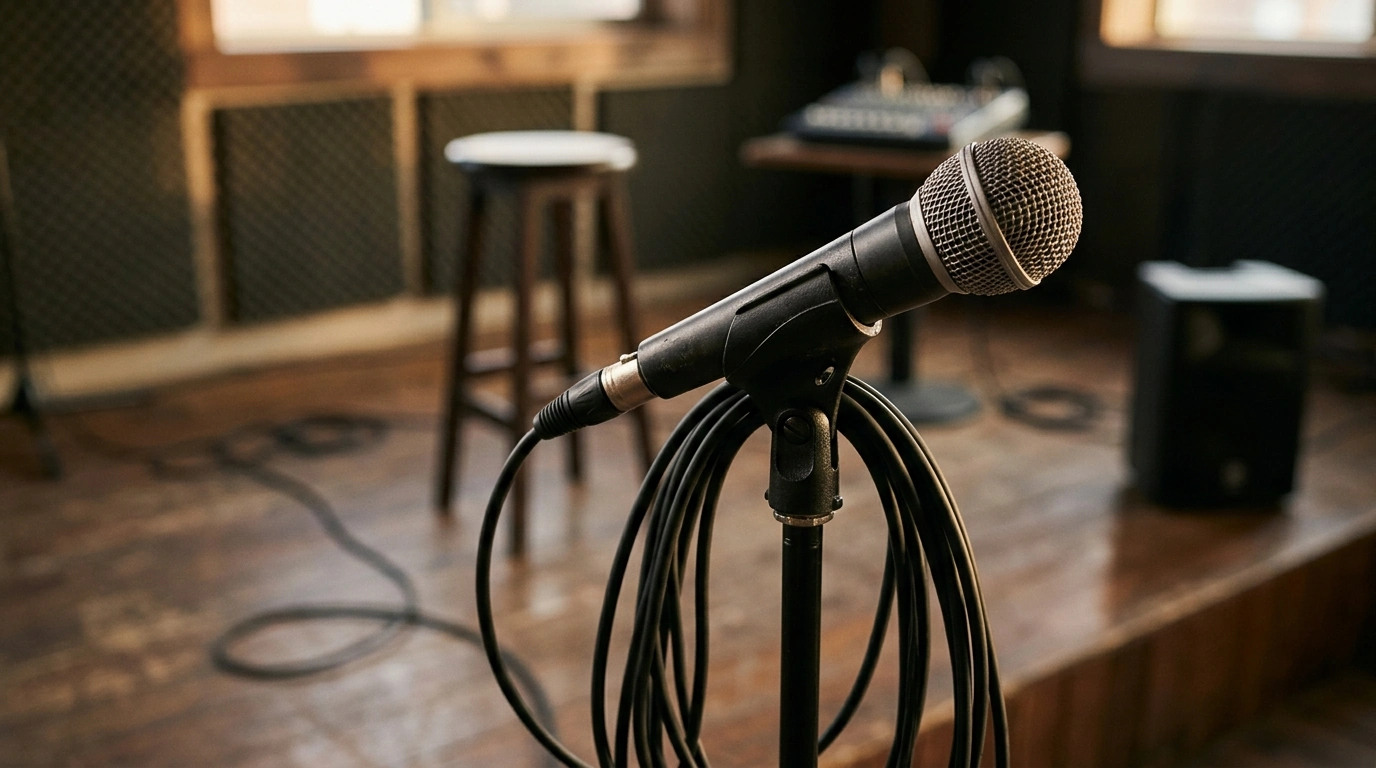
Professional Handheld Dynamic Microphone for Karaoke, Studio & Live Stage Performance
A dependable handheld dynamic microphone can make vocals sound clearer, reduce feedback, and hold up to frequent handling—whether it’s weekend karaoke, home recording, or a small live stage. This guide focuses on what matters most in a dynamic vocal mic, how to set it up for common use cases, and how to get consistent results from practice room to performance night. For more guidance, see Reviews by Headphones and Coffee – Head-Fi.
What a Handheld Dynamic Vocal Microphone Does Well
- Handles loud singing without easily overloading, making it a practical choice for energetic vocals and close-mic technique.
- Typically resists background noise better than many sensitive studio condensers in untreated rooms.
- Built for durability: frequent handoffs, drops, and transport are common in karaoke and live settings.
- Works across multiple setups: karaoke mixers, audio interfaces, PA systems, and portable speakers (with the right input and cable).
Where It Fits Best: Karaoke, Recording, and Live Stage
Dynamic handheld mics are popular because they’re simple to deploy and predictable under pressure. The same mic can serve different roles with small changes in distance, EQ, and monitoring. For further reading, see Reviews by ryanjsoo | Page 4 – Head-Fi.
- Karaoke: prioritizes feedback control, clear mids for lyrics, and comfortable handling for long sessions.
- Home studio: useful for vocals in untreated spaces when room reflections and noise are an issue.
- Live stage: designed for reliable performance under high volume and quick changeovers between performers.
- Rehearsals and streaming: a solid option when a controlled, less “roomy” vocal sound is preferred.
Sound and Handling Factors That Affect Results
Pickup pattern and isolation
The mic’s pickup pattern determines how much it hears from the sides and rear. Tighter patterns help reduce spill from speakers and other instruments, which can buy more usable volume before feedback.
Proximity effect (the “too boomy up close” issue)
Singing very close boosts bass. If vocals sound thick or muddy, back off slightly or angle the mic a bit off-axis to keep clarity while staying loud enough.
Plosive control for “P” and “B” pops
Plosives are bursts of air hitting the capsule. A foam windscreen, a slight angle (singing across the grille instead of straight into it), and steady breath control can reduce pops without thinning the vocal.
Handling noise and grip habits
Try not to cover the grille or cup the head—both can change the tone and increase feedback risk. If you’re using a stand, a secure clip (and a shock-mount-style clip when available) can reduce bumps traveling up the stand.
Consistency wins
Keeping a similar mouth-to-mic distance stabilizes volume and tone, making it easier for a mixer (or auto-mix/ducking features) to behave predictably.
Quick Setup for Common Gear
Karaoke mixer or powered speaker
Connect via the correct mic input (often XLR). Start with input gain low, speak or sing at performance volume, then raise gain until the vocal sits clearly without ringing.
Audio interface for home recording
Use the mic preamp input. Phantom power is usually not required for dynamic microphones—confirm your microphone and interface specs—then set gain so louder notes peak cleanly without clipping.
PA system for small stages
Begin with channel EQ flat. Bring up gain until the vocal is present, then make small EQ moves to tame harshness (often upper mids) or muddiness (often low mids). Keep changes gentle and focused.
Wireless system
Feedback Control Without Killing the Vocal
Care, Storage, and Longevity Tips
Feature Checklist for a Versatile Vocal Mic
Practical Setup Checklist by Use Case
| Use case | Starting gain level | Placement tip | Helpful add-on |
|---|---|---|---|
| Karaoke at home | Low, then increase while speaking/singing | Keep speakers in front of the singer, mic pointed away | Foam windscreen for plosives and hygiene |
| Home recording | Moderate; aim for clean peaks without clipping | 6–10 inches for balanced tone; angle slightly off-axis | Pop filter and a stable stand |
| Live stage | Low-to-moderate; build volume with fader | Stay behind main speakers; avoid pointing mic at monitors | Spare cable and a sturdy mic clip |
| Rehearsal room | Low; raise until vocals sit over instruments | Keep consistent mouth-to-mic distance | Basic EQ cuts for harshness or boom |
Product Options
Main pick for vocals across multiple setups
Professional Handheld Dynamic Microphone for Karaoke, Studio & Live Stage Performance is a straightforward handheld dynamic mic option designed for vocal use across karaoke nights, practice, recording setups, and small stages. It’s best suited for singers who want a single, easy-to-use microphone that can move between a mixer, interface, or PA without complicated setup.
Helpful tool for tightening stand hardware (optional)
If a rehearsal space or small stage setup includes loose clamps, stand parts, or hardware that needs occasional tightening, a simple tool can keep setup changes quick. 18″ Aluminum Pipe Wrench can be a practical addition to a gear bin for general maintenance and quick fixes.
FAQ
Do dynamic handheld microphones need phantom power?
Most dynamic handheld microphones do not require phantom power. Check your microphone and mixer/interface documentation to confirm; phantom power on a properly wired balanced connection often won’t damage many dynamic mics, but it’s best to verify your specific gear.
How close should a singer be to the microphone for karaoke and live performance?
A close range (often a few inches) helps keep the vocal strong and reduces room noise, which also helps with feedback control. If the sound gets boomy from proximity effect, back off slightly or sing a bit off-axis to keep clarity.
What causes feedback and how can it be reduced quickly?
Feedback is a loop where the microphone picks up sound from speakers and re-amplifies it. Reduce it fast by pointing the mic away from speakers/monitors, lowering monitor volume, setting gain conservatively, and applying small EQ cuts to the specific ringing frequency.






Leave a comment