Vintage 3-Speed Bluetooth Record Player: Setup & Care
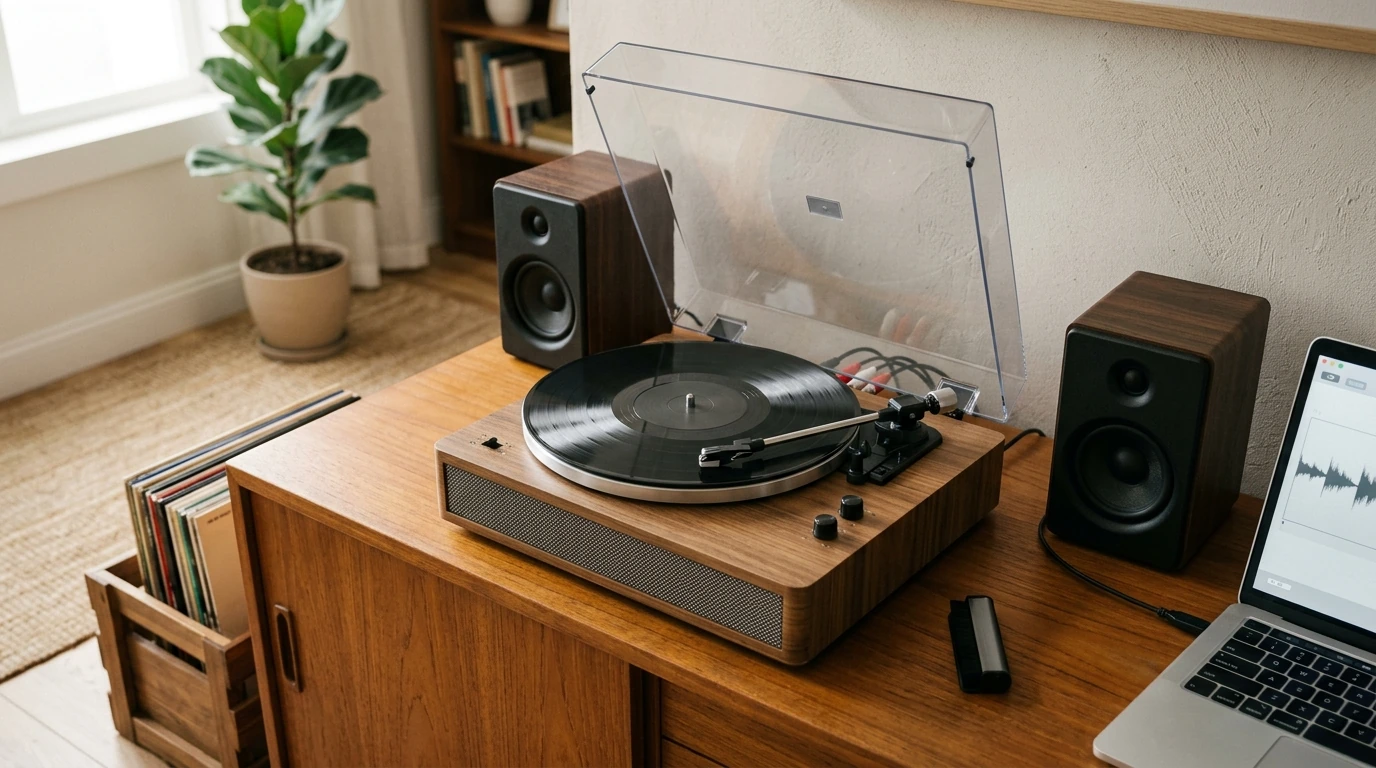
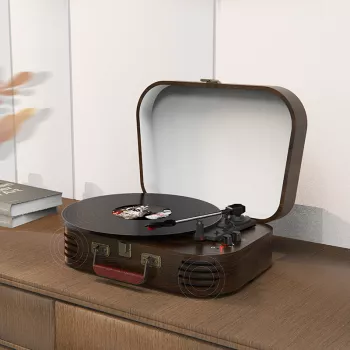
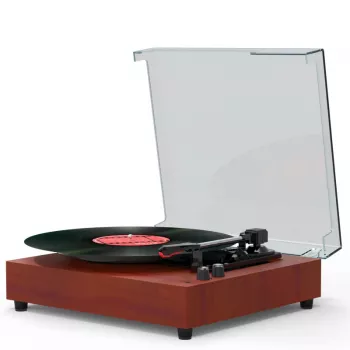
Vintage 3-Speed Record Player with Bluetooth, RCA, USB, AUX-in, and Built-in Speakers
A compact, vintage-style turntable can be one of the simplest ways to enjoy vinyl without piecing together a full hi-fi system. With three playback speeds and multiple connection options, an all-in-one record player works for everything from casual listening at a desk to feeding a bigger speaker setup in the living room. Below is a practical guide to what the 3 speeds mean, how Bluetooth/RCA/USB/AUX-in fit different setups, what to expect from built-in speakers, and how to get smoother playback with basic care.
What “3-Speed” Means and Why It Matters
A 3-speed record player switches between 33 1/3, 45, and 78 RPM (revolutions per minute). Choosing the correct speed is more than a convenience—it’s essential for accurate pitch and for avoiding unnecessary wear from repeated stops, restarts, or mistracking.
- 33 1/3 RPM is used for most full-length LP albums (typically 12-inch records).
- 45 RPM is common for 7-inch singles and many EPs.
- 78 RPM is found on older shellac records; if you plan to play 78s, confirm your stylus is compatible before dropping the needle.
- If your player includes auto-stop or an auto-lift feature, it can help protect the stylus and record once a side ends.
Record Types and Quick Setup Notes
| Record type | Typical speed | Common use | Setup tip |
|---|---|---|---|
| LP (12-inch) | 33 1/3 RPM | Albums | Keep the turntable level; start with moderate volume on built-in speakers. |
| Single (7-inch) | 45 RPM | Singles, small releases | Use a 45 adapter if your record has a large center hole. |
| Shellac (10-inch/12-inch) | 78 RPM | Vintage collections | Verify stylus and record compatibility; clean gently before play. |
Connection Options Explained (Bluetooth, RCA, USB, AUX-in)
Connectivity is where modern all-in-one turntables really shine. The best option depends on whether you’re prioritizing convenience, sound quality, or archiving.
- Bluetooth: Great for wireless listening in a kitchen, office, bedroom, or dorm where running cables is a hassle. Bluetooth audio can introduce a small delay on some speakers/headphones; that’s normal behavior for many wireless links (see the Bluetooth Core Specification for technical context).
- RCA out: The most straightforward upgrade path for bigger, fuller sound. Connect to powered speakers or an external amp/receiver; you’ll typically get stronger bass and better clarity than small built-in drivers.
- AUX-in: Lets the unit function like a compact speaker system for your phone, tablet, or laptop via a 3.5 mm cable—handy for playlists between record sides or background audio without switching systems.
- USB: Commonly used to digitize vinyl to a computer. It’s ideal for archiving rare records or making travel-friendly listening copies (Audacity is a popular option for recording and editing: Audacity).
Best practice: Pick one primary listening path (built-in speakers, Bluetooth, or RCA to external speakers). Running multiple outputs at once can make volume control confusing and may create echo/delay between speaker sets.
Built-in Speakers: What to Expect in Real Rooms
Built-in speakers are about quick, satisfying playback—not maximum volume or deep, room-shaking bass. In a small room or at close range, they can be an easy way to enjoy new finds right away.
- Placement matters: Put the player on a stable, rigid surface away from edges. Wobbly furniture and footfalls can transfer vibration into the stylus, reducing clarity and increasing skips.
- When bass feels light: Switch to RCA-connected powered speakers. Even compact external speakers often deliver a noticeable jump in fullness and stereo separation.
- Bluetooth note: A slight delay can happen depending on your speaker. It’s usually only bothersome if you’re comparing two speaker sets simultaneously.
Setup Checklist for Smooth Playback
For deeper storage and handling guidance, the Library of Congress has a helpful overview on preserving audio media: Caring for Sound Recordings.
Using USB for Digitizing Vinyl (Simple Workflow)
Care and Longevity: Records, Stylus, and Storage
Who This Style of Record Player Fits Best
Product Picks (In Stock)
- Vintage 3-Speed Record Player with Bluetooth, RCA, USB, AUX-in, and Built-in Speakers — a compact all-in-one choice for simple setup, flexible connectivity, and everyday listening.
- Compact 400W Mini Juicer with 16oz Cup – Easy & Efficient Fruit Juice Extractor — an easy countertop add-on for quick morning routines in the same small spaces where a compact turntable fits best.
FAQ
Can built-in speakers damage records or cause skipping?
Skipping is usually caused by vibration or an unstable surface, not the speakers “damaging” the record. Place the player on a solid, level table, keep volume moderate, and if vibration is noticeable, use external speakers via RCA to reduce feedback.
What’s the best way to connect this player to external speakers?
Use the RCA output to connect to powered speakers or to an amp/receiver for the most consistent sound upgrade. Confirm whether the output is line-level (common on all-in-one units) and keep cable runs reasonable for a clean signal.
Can records be converted to digital files using the USB connection?
Yes—connect via USB, select the turntable as the input in recording software, record each side, then split tracks and export to WAV or MP3. Cleaning the record first and keeping recording levels out of the red helps avoid permanent noise and distortion.






Leave a comment