3-Speed Turntable with Speakers, Headphones & AT Stylus
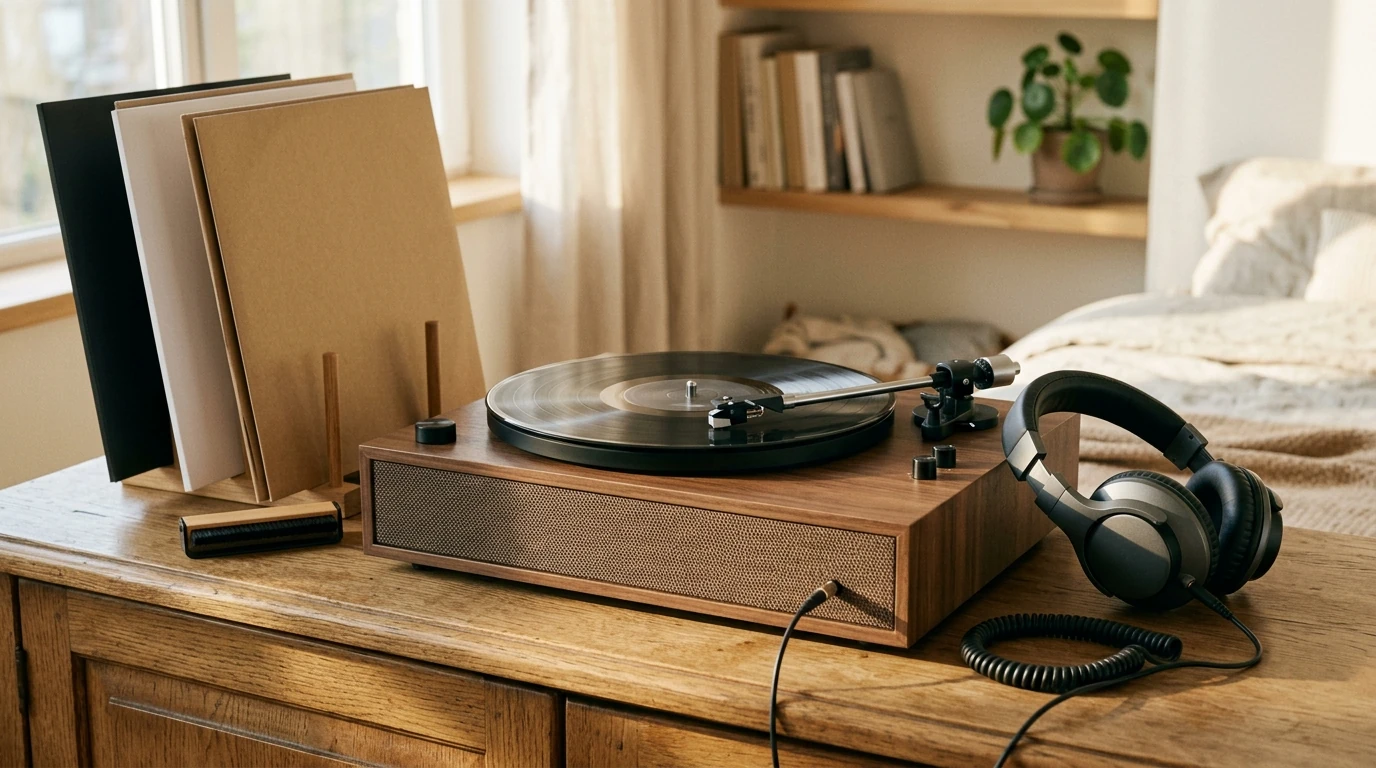
3-Speed Vinyl Record Player with Built-in Speakers, Headphone Jack, and Audio-Technica Stylus
A simple turntable setup can be the difference between occasional listening and a system that gets used every day. This 3-speed record player combines built-in speakers for quick playback, a headphone jack for private listening, and an Audio-Technica stylus designed to track grooves cleanly. The sections below break down what those features mean day-to-day, how to dial in your setup, and how to keep records sounding their best over time.
What this turntable is built for
This style of record player is designed for listeners who want real vinyl playback without building a full hi-fi stack first. With three speeds, it covers the most common record types found in modern collections plus many older formats.
- Plays multiple record formats by supporting three speeds for broader compatibility.
- Built-in speakers let you listen right away—no receiver, no separate speakers, fewer cables.
- A headphone jack enables quiet listening in shared spaces without adding an external amplifier.
- An Audio-Technica stylus focuses on steadier tracking and less distortion than many generic needles.
- Fits naturally in bedrooms, dorms, offices, and smaller living spaces where simplicity matters.
For long-term care guidance, the Library of Congress preservation resources are a reliable reference for handling and storage basics.
Speed settings and what they play
Getting the speed right is the first step to getting the music right. If vocals sound “chipmunk fast” or the whole track drags, the RPM selector is usually the fix.
- 33 1/3 RPM: the standard speed for most LP albums.
- 45 RPM: common for singles and some EPs; often cut louder.
- 78 RPM: used for shellac records and older releases; only use 78s if your turntable and stylus are compatible with 78 playback.
- Using the wrong speed changes pitch and timing; verify the record label before playing.
- If a record sounds too slow or too fast, speed selection is the first thing to check.
Quick speed guide for common records
| Speed | Typical record type | What to look for on the label |
|---|---|---|
| 33 1/3 RPM | LP (12-inch album) | “33” or “33⅓” |
| 45 RPM | Single/EP (7-inch, some 12-inch singles) | “45” |
| 78 RPM | Shellac/older discs | “78” (often thicker, more brittle) |
For background on record formats and releases over time, the RIAA Gold & Platinum database is a helpful historical reference point.
Built-in speakers vs. headphones: choosing the right listening mode
Built-in speakers and headphones serve different moments. Think of the speakers as your “instant-on” option and headphones as your “detail and focus” option.
- Built-in speakers work well for casual listening, background music, and quick setup checks.
- Headphones can reveal more detail and minimize room noise—especially in dorms or late-night listening.
- When switching to headphones, start with the volume low to avoid sudden loud output.
- If sound seems thin or distorted on speakers, headphones can help confirm whether the issue is the record, stylus, or speaker limits.
One practical tip: if you’re chasing fewer skips, headphones also reduce the chance of vibration feedback from speaker output, since the speakers aren’t energizing the space around the turntable as much.
Audio-Technica stylus: why it matters
The stylus is the “point of contact” between your turntable and your records. That makes it one of the biggest factors in sound quality—and record wear. A better stylus profile and consistent manufacturing can translate to cleaner high frequencies, less splashy “S” sounds, and improved tracking on inner grooves near the label.
- Stylus quality affects tracking, surface noise, and the risk of record wear.
- A well-made stylus can reduce sibilance and inner-groove distortion on challenging tracks.
- Keep the stylus clean; dust buildup increases noise and can accelerate wear.
- Replace the stylus when sound becomes dull, sibilant, or consistently distorted, or after the manufacturer’s recommended hours of use.
If you need model-specific care steps or replacement guidance, Audio-Technica Support is a dependable place to verify best practices.
Setup checklist for better sound and fewer skips
Most “my record player is skipping” problems come down to placement, dust, or vibration. A few small setup choices can noticeably improve playback stability.
Fast troubleshooting guide
| Symptom | Likely cause | Try this first |
|---|---|---|
| Skips or repeats | Unstable surface / dirty record / debris on stylus | Level the surface; brush the record; clean the stylus gently |
| Muffled sound | Dusty stylus or worn stylus | Clean the stylus; consider replacement if symptoms persist |
| Harsh “S” sounds | Tracking issues or worn stylus | Clean stylus; check for record damage; replace stylus if needed |
| Wrong pitch/tempo | Incorrect speed selected | Switch to the correct RPM setting |
Care tips for records and stylus longevity
Product options available now
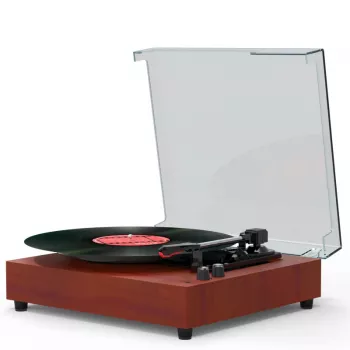
- 3-Speed Vinyl Record Player with Built-in Speakers, Headphone Jack, and Audio-Technica Stylus — 3-speed playback, simple setup, and flexible listening options. Check price and availability.
- Compact 400W Mini Juicer with 16oz Cup – Easy & Efficient Fruit Juice Extractor
- 5-Level Cat Tree with Large Hammock, Scratching Posts, and Cozy Condo for Indoor Cats
FAQ
Can headphones be used without external speakers?
Yes. The built-in headphone jack lets you listen privately without connecting separate speakers or a receiver. Start with the volume low when plugging in, since headphone output can sound louder than expected compared to the built-in speakers.
How often should the stylus be replaced?
A practical range is every few hundred hours of playback, or sooner if you hear persistent distortion, harsh “S” sounds, or a loss of detail. For the most accurate interval, follow the stylus manufacturer’s hour-rating and replacement guidance.
What causes skipping on a record player with built-in speakers?
Skipping is commonly caused by an unstable or unlevel surface, a dusty record, debris on the stylus, warped records, or vibration feedback from nearby bass. Try leveling the turntable, brushing the record, and gently cleaning the stylus first.







Leave a comment