720P Portable Projector with WiFi 6 & Bluetooth for Movie Nights
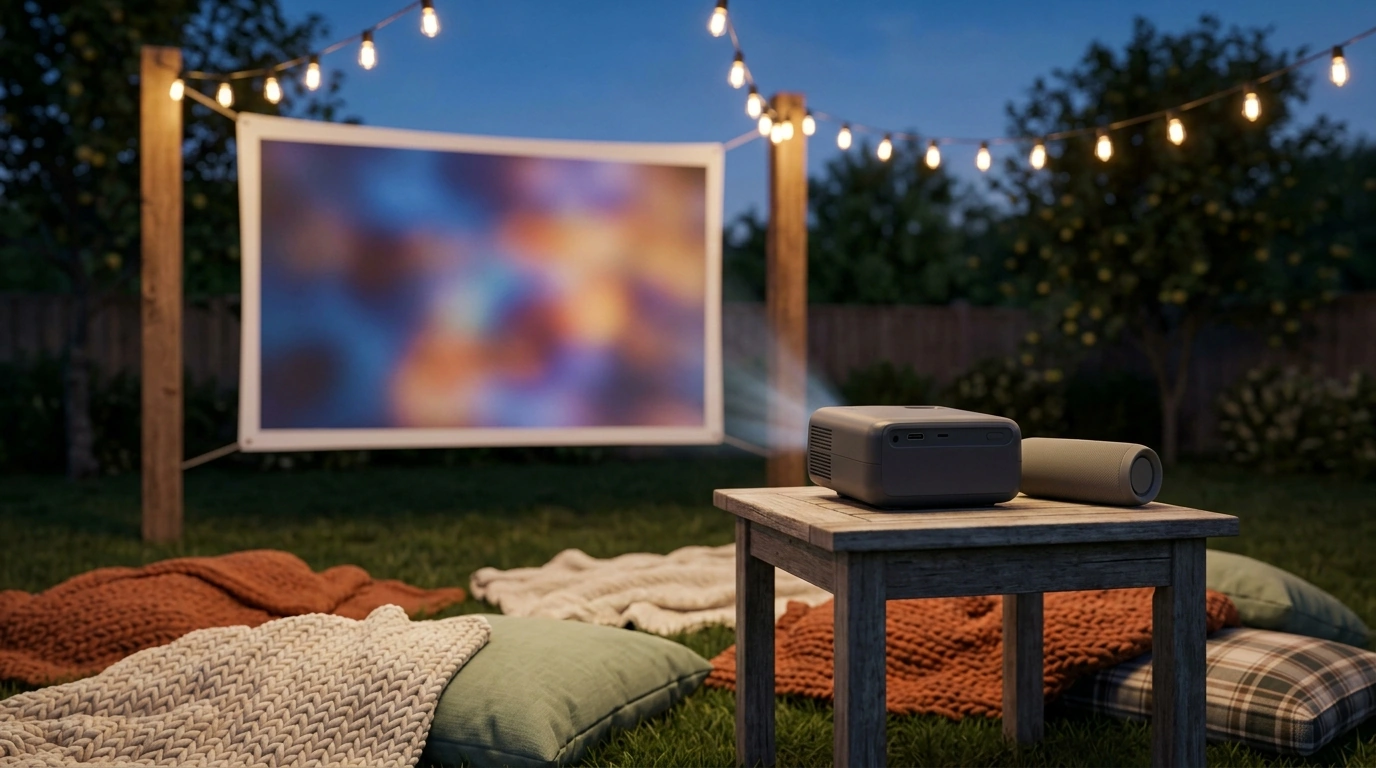
Portable 720P HD Projector with WiFi 6 & Bluetooth: Big-Screen Movie Nights at Home or Outdoors
A compact projector can turn a living room wall, backyard sheet, or camping setup into a large-screen cinema without the bulk of a big TV. A portable 720P projector with modern wireless connections is designed for flexible, occasional use: quick setup, easy storage, and the freedom to watch where it’s convenient. Below is what to expect from this style of mini projector, how to set it up fast, and the practical tweaks that make the image and sound feel more “movie night” than “makeshift.”
What This Mini Projector Is Built For
Portable 720P projectors are best thought of as “grab-and-go” big screens. They shine when the goal is casual entertainment rather than a permanently mounted home theater.
- Quick movie nights and casual gaming on a large screen without a TV-sized footprint
- Flexible placement for bedrooms, apartments, dorms, patios, and travel
- Wireless convenience for streaming and audio when cables are inconvenient
- Simple, family-friendly setup for occasional use rather than permanent installation
Key Features That Matter Day to Day
Specs don’t tell the whole story, but a few features make a noticeable difference in everyday use—especially when you’re moving the projector from room to room or taking it outside.
- 720P HD resolution for clear everyday viewing on a big image when paired with a good source
- WiFi 6 support for smoother wireless streaming in busy home networks (router and device conditions still matter). For an overview of WiFi 6 (802.11ax), see the Wi‑Fi Alliance Wi‑Fi 6 resource.
- Bluetooth 5.0 for pairing external speakers or headphones to improve audio impact. Bluetooth versions and capabilities are defined in the Bluetooth Core Specification overview.
- Large viewing size (marketed up to 200 inches) best approached as a range—image quality depends heavily on distance and room lighting
- Portable form factor that suits shelf placement, coffee-table setups, or outdoor stands
| Need | Why it matters | Practical tip |
|---|---|---|
| A dark-ish space | Brightness and contrast drop quickly in ambient light | Use curtains indoors; outdoors, wait until after sunset |
| Stable surface or tripod/stand | Small shifts can distort focus and framing | Place on a rigid table; avoid soft camp chairs or coolers |
| Good audio option | Built-in speakers are rarely “cinema” loud | Pair a Bluetooth speaker or use a soundbar when available |
| Content source | Streaming quality depends on device/app restrictions | Keep an HDMI option available for laptops/streaming sticks |
Getting the Best Picture: Screen Size, Distance, and Lighting
The biggest upgrade most people can make isn’t in the settings menu—it’s in choosing a realistic screen size for the space. If the image looks washed out, shrinking the picture usually improves brightness and perceived sharpness immediately.
- Pick a screen size that matches the lighting: smaller images look brighter and sharper in moderate light.
- Keep the projector square to the screen: better alignment reduces keystone distortion and preserves detail near the edges.
- Use a proper screen when possible: a smooth, matte white surface improves uniformity and perceived contrast versus textured walls.
- Outdoors, plan for wind and foot traffic: secure the screen so it doesn’t ripple, and keep the projector where nobody walks through the light beam.
- Start with size before settings: reduce image size first, then fine-tune focus and any picture adjustments.
For indoor use, a blank wall can work for casual nights, but a portable screen often looks cleaner because it avoids paint sheen, bumps, and color tint. Outdoors, a taut screen or tightly clipped sheet is worth the extra minute of setup.
Wireless Streaming and Device Compatibility
Wireless casting is convenient, but it’s not always the most predictable method—especially with paid streaming apps that can limit mirroring. When consistency matters (or guests are waiting), HDMI is often the “it just works” choice. HDMI formats and capabilities are summarized by the HDMI Licensing Administrator.
Sound Options: Built-In vs Bluetooth Speakers
Indoor and Outdoor Setup Ideas
Care, Placement, and Longevity Tips
Featured In-Stock Picks for Movie Night
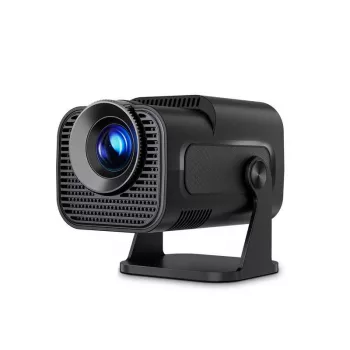
- Portable 720P HD Projector with WiFi 6, BT 5.0 & 200″ Screen – Mini Cinema for Home & Outdoors (portable big-screen setup for indoor/outdoor viewing)
- Compact 400W Mini Juicer with 16oz Cup – Easy & Efficient Fruit Juice Extractor (quick drinks for guests without taking over the kitchen)
- 5-Level Cat Tree with Large Hammock, Scratching Posts, and Cozy Condo for Indoor Cats (a cozy distraction for curious pets during screen time)
Who This Projector Fits Best
FAQ
Can a phone connect to the projector wirelessly?
Often yes, using the phone’s screen mirroring or casting features, but compatibility depends on your device and what the specific streaming app allows. For the most consistent playback, using HDMI via a streaming stick, adapter, or laptop is usually more reliable than mirroring.
Is a 200-inch image size realistic for everyday use?
Very large images are most realistic in very dark environments, where brightness loss is less noticeable. For everyday use—especially outdoors or with any ambient light—a smaller screen size typically looks brighter and sharper.
How can outdoor sound be made loud enough for a group?
Pair a higher-output Bluetooth speaker and place it close to the audience instead of next to the projector. Keep some volume headroom to avoid distortion, and for larger gatherings consider a second speaker or a more powerful unit designed for outdoor use.






Leave a comment